Cara Reset SAMSUNG G531H Galaxy Grand Prime Duo
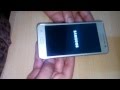
Cara Mengatasi Error / Hang dengan Reset SAMSUNG G531H Galaxy Grand Prime Duo

Cara Mengatasi Error / Hang dengan Reset SAMSUNG G531H Galaxy Grand Prime Duo
- At the beginning switch off your mobile phone by holding down the Power rocker for a short while.
- Afterwards press and hold together: Volume Up + Home + Power button for a couple of seconds.
- As soon as the Samsung Logo appears, you can release held keys.
- In the next step select from menu "wipe data / factory reset" using Volume buttons to navigate and Home button to confirm.
- Choose "Yes -- delete all user data" to confirm the whole operation.
- After that select option "reboot system now".
- Well done! The hard reset has just been performed.